Winlator: Real Windows Games and Apps on Your Android Phone
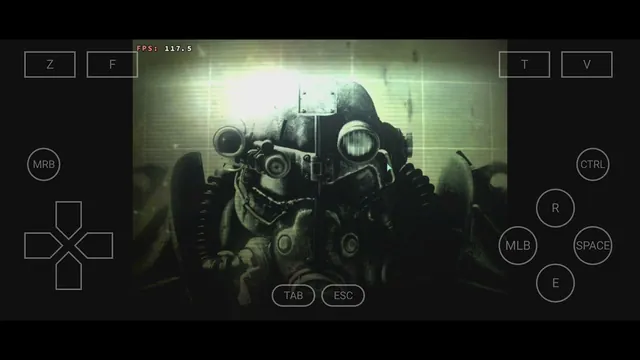
It used to be an impossibility to run software designed for Windows natively on mobile phones. The reality is changed by Winlator, which allows you to play native desktop applications and games on your Android phone or tablet without streaming and without any Internet connection.
The tool that makes this possible is called Winlator. It’s free, it’s open-source, and it’s slowly becoming one of the coolest things going on in the Android community. This article will explain what Winlator is, how it does the magic, what it can do and not do, and how you can install it in simple terms without any assumptions.
What Is Winlator?
Winlator is an Android app that runs software made for Windows computers, games and programs directly on your phone or tablet.
"Directly" is the key word. Nothing is streamed from a server. The Windows app runs on your phone's own processor, drawn by your phone's own graphics chip. You could put your phone in airplane mode and keep playing.
Winlator is free and open source, built by an independent developer who goes by bruno-sx, with the code and every release published on GitHub. No ads, no account, no subscription, no "pro version."
It is a relatively new project, only making an appearance in early 2024, although the principles behind it are not new at all. Winlator is built upon software solutions that Linux enthusiasts have relied on for decades and evolves rapidly. There is no time between new releases, and every update usually increases compatibility.
Winlator at a Glance
Key Features
| Feature | What it means for you |
|---|---|
| Runs Windows software | Games and apps built for x86_64 Windows — .exe and .msi files |
| Free and open source | No cost, no ads, code anyone can inspect |
| No root needed | Installs like any normal Android app |
| Works offline | Everything runs on your phone; nothing is streamed |
| Phones and tablets | Works on any modern 64-bit Android device |
| Container system | Separate, self-contained Windows environments you can tweak per game |
How Winlator Works
First, the name comes from Winlator = Windows + translator. That's almost the whole explanation. It's a translator standing between Windows software and your phone.
Here's the interesting part: Winlator doesn't include Windows at all. It doesn't copy anything from Microsoft. Instead, three open-source tools work together:
Wine: a compatibility layer, over 30 years old, that understands Windows software. It re-creates the parts of Windows that programs need, from scratch, without using any Microsoft code. If you've heard of the Steam Deck handheld, this is the same basic trick that lets it run Windows games.
Box64: a translator between CPU languages. Windows PC software speaks "x86_64"; your phone's chip speaks "ARM." Box64 converts one to the other on the fly.
The graphics stack: Windows games draw with DirectX. This is then translated into Vulkan (via an intermediary known as DXVK), and subsequently fed to your phone’s GPU via a driver that it supports.
Let’s assemble the chain: the game talks Windows language, Wine can understand it, Box64 translates it to ARM, graphics are converted to Vulkan, and finally your phone’s GPU renders the scene.
Why isn't this slow?
Because it's not emulating an entire PC. There's no virtual machine pretending to be a whole computer; the work happens only where translation is needed, and modern phone chips are genuinely fast. Your phone's processor is more powerful than many gaming PCs from a decade ago, and that's exactly the era of games Winlator handles best.
Is there overhead? Yes, some. Heavy 3D games need a strong phone. We'll be honest about that later.
What Can It Run?
This is the fun part. A rough map of reality:
| How well it runs | Examples |
|---|---|
| Great - even on mid-range phones | Stardew Valley, Terraria, Hollow Knight, Cuphead, FTL, Slay the Spire, Vampire Survivors, Into the Breach, Diablo II, Age of Empires II |
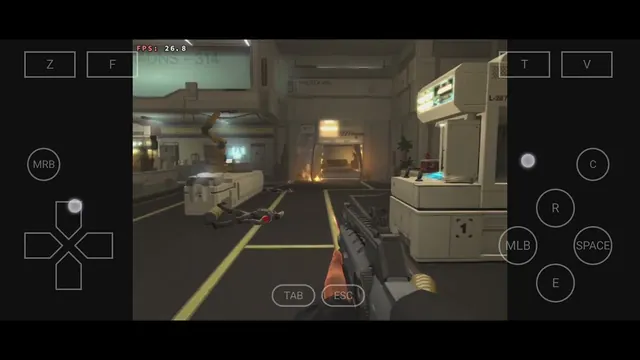
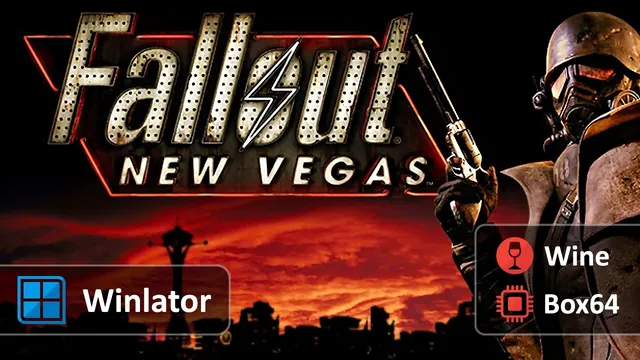
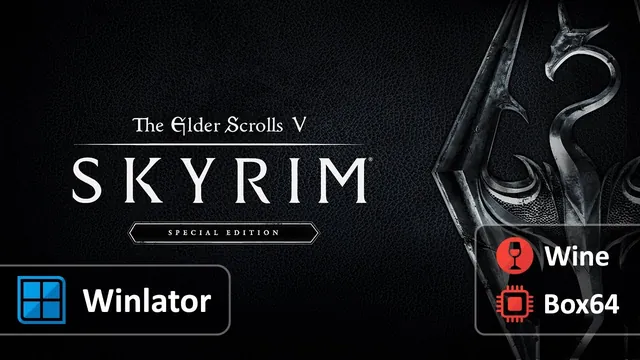
| Playable - strong phone + some tuning | Skyrim, Fallout: New Vegas, GTA: San Andreas, Half-Life 2, Portal, Left 4 Dead 2, Torchlight II |
| Don't bother | Modern AAA games (Elden Ring, Cyberpunk), online games with anti-cheat (Valorant, Fortnite) |
People have even coaxed the PC version of Genshin Impact into running on flagship phones, which tells you how far this can stretch, even if that one is more party trick than daily driver.
More Than Games
Games are what really matter, but Winlator also provides other regular Windows programs. This can be useful for things like Notepad++, 7-Zip, IrfanView, and even older Office and Photoshop.
All the common Windows programs do have their Android counterparts, and thus the application side is not that important compared to the gaming side. But things get interesting when it comes to niche applications, something that your job relies on, and has no Android counterpart.
Also, with Winlator on a tablet using a Bluetooth keyboard and mouse, it really feels like running a small Windows PC.
What Your Phone Needs
| Requirement | Details |
|---|---|
| Android version | 9.0 or newer |
| Processor | 64-bit ARM (any modern phone) |
| RAM | 4 GB minimum; 8 GB or more for 3D games |
| GPU | Snapdragon (Adreno) chips work best; Mali GPUs work but struggle more |
| Storage | A few hundred MB free, plus room for your games |
| Root | Not needed, not used |
Snapdragon phones are the comfortable choice; Winlator's fastest graphics driver (called Turnip) is built for Adreno GPUs. Samsung Exynos and other Mali-based phones can run Winlator, with more patience and lower settings. Don't underestimate the RAM line; modern Android eats a lot of it, and 3D games through a translation layer need headroom.
Where to Get It?
Winlator is not on the Google Play Store. The official Winlator APK download lives in one place only: the project's GitHub releases page.
That matters, because fake versions are a real problem. Since the app isn't in the Play Store, shady websites offer their own "Winlator APK", bundled with adware, wrapped in installers, or asking for money. Winlator is free. If any site charges you, makes you complete a survey, or attaches extra software to the download, close the tab.
The APK itself is a large file, over 100 MB, so give it a moment and make sure you're on Wi-Fi.
How to Install, Step by Step
- 1. Download the latest Winlator APK from the official GitHub releases page. Grab the newest stable version, not the experimental ones.
- 2. Install it. Android will warn about apps from unknown sources; allow it for this install. You downloaded the real file from the official source, so this is fine.
- 3. Open the app. The first launch does some setup. Give it a minute.
- 4. Create a container. The app will offer to make one. Accept the default settings for now; you can change everything later.
Your First Container
A container is Winlator's version of a little Windows computer. It has its own fake C: drive, its own settings, and its own list of installed programs, all stored as files inside your Android storage.
When you launch a container, a Windows-style desktop appears on your phone screen, complete with a taskbar and icons. From there:
Copy your game or installer onto the phone: from your PC, over a cable, or from wherever you keep it. Your phone's storage shows up inside Winlator as a drive, so the files are easy to find.
Run the installer. Double-tap the .exe, exactly like on a PC. A normal Windows install window appears. Install the game.
Launch it. The game gets a shortcut on the container's desktop. Tap it, and it opens in a window or fullscreen, your choice.
The magic moment is the first time a Windows install wizard pops up on your phone. It never stops feeling slightly wrong, in the best way.
The reason for having multiple containers is because each one holds different settings. Serious users keep one tuned container per game, one set up for a 2D indie title, another with different graphics settings for Skyrim. Containers are cheap: create, tweak, delete, repeat until a game runs its best.
Controls
Windows games expect a keyboard and mouse, and that's the honest recommendation here:
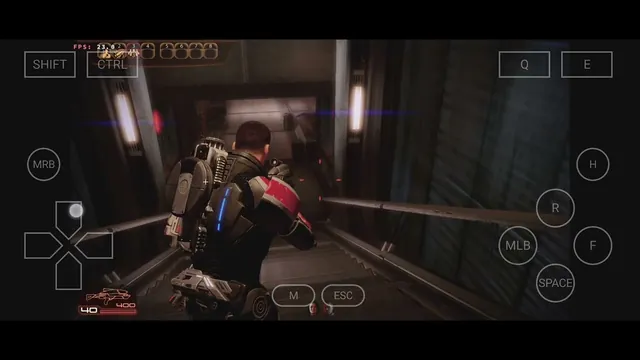
A Bluetooth keyboard and mouse turn Winlator from "impressive demo" into "actually playable." This is the setup worth having.
Game controllers work too — many games map nicely to one.
USB-C or OTG accessories also connect fine, if you'd rather go wired.
There's an on-screen keyboard for typing, but you don't want to play a shooter with it.
On a tablet with a keyboard, the whole thing clicks into place as a small Windows machine.
Quick Tips
If a game runs rough, try these in order; each one is a container setting, changed in seconds:
Lower the screen resolution. The single biggest speed gain, almost every time. A container rendering at 720p instead of your phone's full resolution runs dramatically smoother.
Use DXVK as the DirectX wrapper for most games. Switch to WineD3D if a specific game misbehaves; it's slower but more forgiving.
Try the Box64 presets. Performance mode for speed, Compatibility mode when a game crashes.
Close background apps. Your browser with 40 tabs is eating the RAM your game needs.
Update Winlator itself. Each release genuinely improves performance and compatibility. A game that failed on the version you installed in spring may simply work on the current one.
Keep expectations matched to your hardware. A flagship chip plays Skyrim. A budget chip plays Stardew Valley. Both are wins.
What Won't Run?
Being honest about the walls saves disappointment:
Online games with anti-cheat: Valorant, Fortnite, most competitive multiplayer, won't work. Anti-cheat software treats anything unusual as a threat, and a phone running a translation layer is very unusual.
Modern AAA games are out of reach. Your phone is strong, but not that strong, and the translation overhead is real.
DRM-heavy launchers can be stubborn. DRM-free is the easy path.
Mali GPU phones will fight you on heavier 3D. It runs, just at lower settings and lower patience.
iPhone will never happen. Winlator needs the freedom Android gives, and iOS doesn't give it.
Is It Safe? Is It Legal?
Yes, the app is safe. It's open source, the code is public, it runs everything locally, and there's no account or data collection. As with every tool on this kind of page, the real danger is fake downloads; stick to the official GitHub page, and that risk disappears.
Winlator contains no Microsoft code; Wine re-creates Windows functionality from scratch, which is why it's been legally fine for three decades. Winlator ships no games and no software of its own. The apps you run are your responsibility: run programs you own, install games you bought, and you're on solid ground. Winlator is a tool, like a media player; what you load into it is up to you.
Frequently Asked Questions
Is Winlator free?
Completely. Open source, no paid tier, no ads. If a website is selling it, that website is a scam.
Where do I get the Winlator APK download?
From the official GitHub releases page; it's the only safe source. Not the Play Store, not random APK sites, not anything with a survey or a payment form.
Does it need root?
No. It installs and runs like any normal Android app.
Is Winlator an emulator?
Technically, no, and that's why it's fast. An emulator fakes an entire PC; Winlator is a compatibility layer plus a translator, so the work happens only where it's needed. Same goal, smarter route.
Will it run my game?
Rules of thumb: 2D and older 3D games, very likely; heavy modern games, no; online anti-cheat games, never. For a specific title, search the game's name plus "Winlator", the community compatibility lists are current and detailed.
How much RAM do I need?
4 GB runs the light stuff. 8 GB and up makes 3D games realistic. 12 GB is comfortable.
Can I run Steam?
People do, but it's heavy and fiddly. If you're new to Winlator, start with DRM-free installers and standalone game files.
Does it work on tablets?
Yes, and tablets are arguably the better experience, since a bigger screen plus a keyboard and mouse makes it feel like a small Windows PC.
Conclusion
Winlator does something that still sounds impossible when you explain it to someone: it takes a program built for a desktop computer, translates it on the fly, and runs it on the phone in your pocket, no internet, no subscription, no strings.
It won't run everything, and it asks for some patience in return for the magic. But for playing the classics, revisiting old favourites, or running that one Windows tool nothing else can replace, it works, it's free, and it's one download away.
Head to the official GitHub page, grab the latest release, create your first container, and enjoy the strange delight of a Windows install wizard on your phone.